|
AOL and The Unofficial
Michael Bay Site
Below is an explanation
of why things seem like they seem when you use AOL or WebTv to view
this site.
If you are browsing
through AOL's "internal" web browser, you are most likely
missing out the graphics that are available from this site. Of course,
the graphics and artwork will download in your browser, but it is
not the same image that I created. AOL has compressed it for your
viewing pleasure, and in doing so has turned it into a blurry, garbled
mess. Witness the difference (you'll actually see the image on the
right load faster). . .
|
The
original
|
AOL's version
|
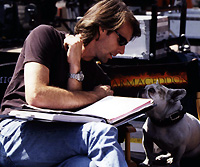 |
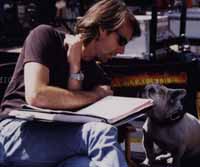 |
In addition to compressing
the graphics (which I have already done for you), AOL shrinks each
one if they're greater than 640 x 480 (due, it says, to limitations
in their compression software). Some of my images are much larger
than 640 x 480, so this re-sizing further degrades the image quality.
If you want to read
AOL's explanation of why and how they do it, here
it is.
The best way to view
this site is with an "external browser", such as Internet
Internet Explorer 5.5. You can get the latest MS IE 5.5 at
Once you have downloaded
your browser of choice and installed it, you can connect to AOL as
usual, minimize AOL, and open your Netscape and IE. Only then will
you be seeing the web as it was designed, a lot faster and much better
looking.
Trust me.
If you must use
AOL's internal browser, here is how you can disable AOL's image compression
and view my graphics as designed. The internet will still be kind
of slow, but at least my graphics won't look like they were finger
painted. These instructions are for AOL 4.0 Win95:
| Start
AOL and connect as usual. Once connected, click on the button
that says "My AOL", and select "Preferences"
from the list provided. You will be presented with a window containing
buttons for all of your AOL settings. The one we are interested
in is "WWW" |

|
| Click
the WWW button. This will bring up another window with little
tabs across the top. Select the tab marked "Web Graphics",
and uncheck the box which reads "Use Compressed Graphics".
Close down AOL. When you reopen it and surf the web, you will
see the graphics as they were intended. |
|
WebTv and the Unofficial
Michael Bay Site
Unfortunately, the
browser included in the WebTv package does not support full-blown
Java (or any at all). To access this site you must have a Browser
that supports Java.
This site was designed
to be view on a computer monitor at a resolution of 800x600 with 24-bit
color, and not a TV screen.
Personal note:
I'm proud of my graphics,
and I put a lot of work into compressing them for the web in a way
which retains as much of their original quality as possible. I
do not appreciate America Online altering my artistic vision to
suit their network, and I appreciate it even less when they do not
inform their users of what they have done.
I shudder to imagine
the thousands of AOL users who have visited my site for the first
time only to be greeted by muddy graphics and slow downloads. I've
been e-mailed by people on AOL & WebTV on how "badly designed"
my web site is. Please...
This is why AOL's
image compression and The Unofficial Michael Bay Site are not compatible.
|
